Live demo
See how ordering works
Open the guest flow and see how ordering starts without an app or extra steps.
Try how a guest ordersPreview
Guest view
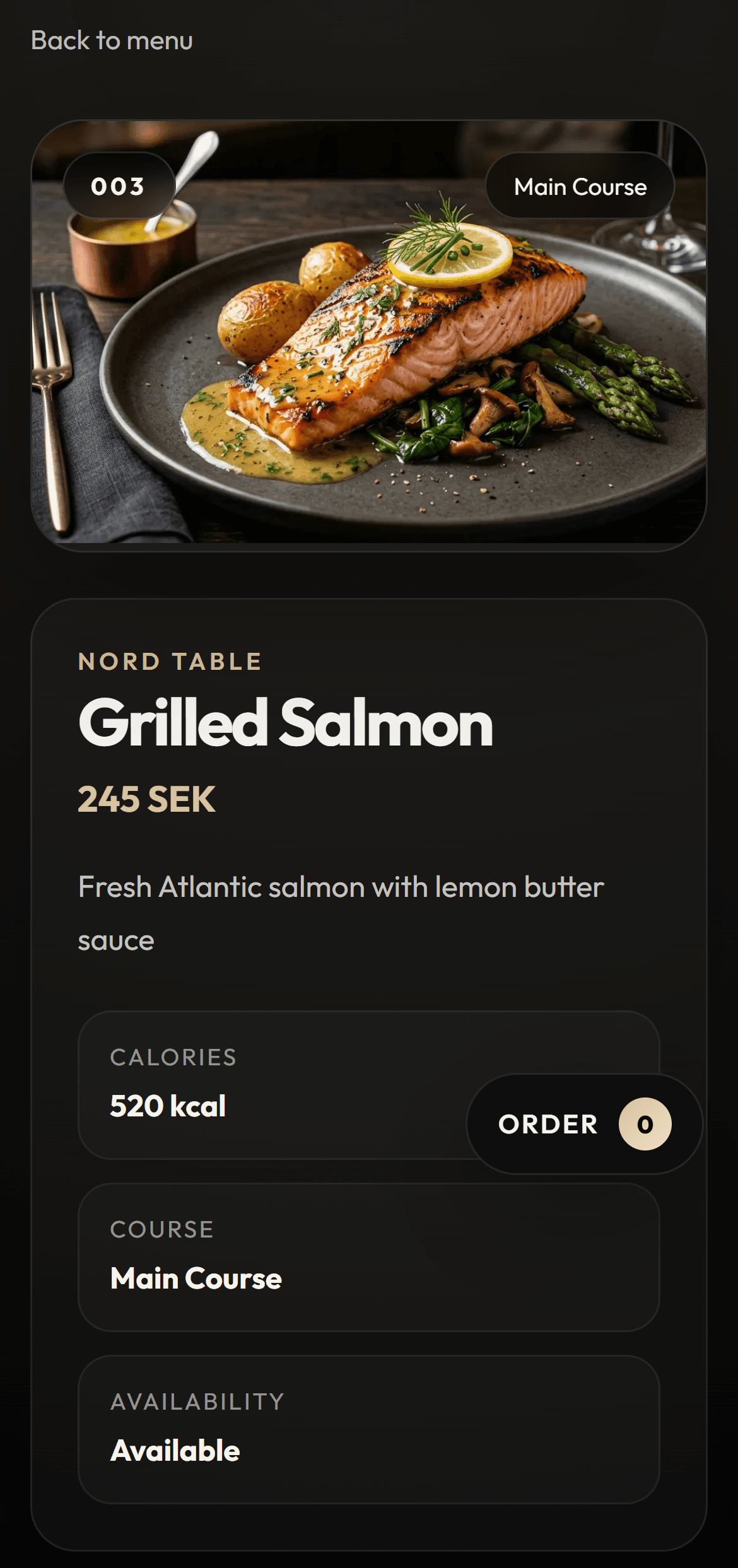
Digital menu
Smart Art AI builds digital menus for restaurants that want a faster table experience for guests and a simpler day-to-day workflow for the team.
See the flow first, then book a demo when you want to discuss your own setup.
Try it first
This is the fastest way to understand why a digital menu feels clearer at the table.
Live demo
Open the guest flow and see how ordering starts without an app or extra steps.
Try how a guest ordersPreview
Guest view
Problem
Solution
Replace printed menus with a fast digital menu that is easy to update, mobile-friendly, and clearer for guests.
Built to be quick and easy to use on a guest's phone, even in high-friction moments.
Structure that helps guests decide faster and reduces repeat questions to staff.
Swedish first, with English available for international guests.
In practice
See the flow first, then book a demo when you want to discuss your own setup.
We review your current menu, workflow, and where menu updates create friction today.
We set up the digital menu with the right structure, language, and QR flow for your guests.
You go live with a menu that is easier to use, easier to update, and easier to present well.
Benefits
Guests can open the menu instantly on mobile without downloading an app.
Change a price, ingredient, or dish without reprinting or managing multiple menu versions.
Highlight visuals, signature dishes, and categories in a way that feels modern and premium.
System demo
Start with the guest view, then open admin and kitchen to understand the full system in under 30 seconds.
Guest
See how the guest opens the menu and moves into a clearer choice.
Try how a guest ordersPreview
Guest view
Order
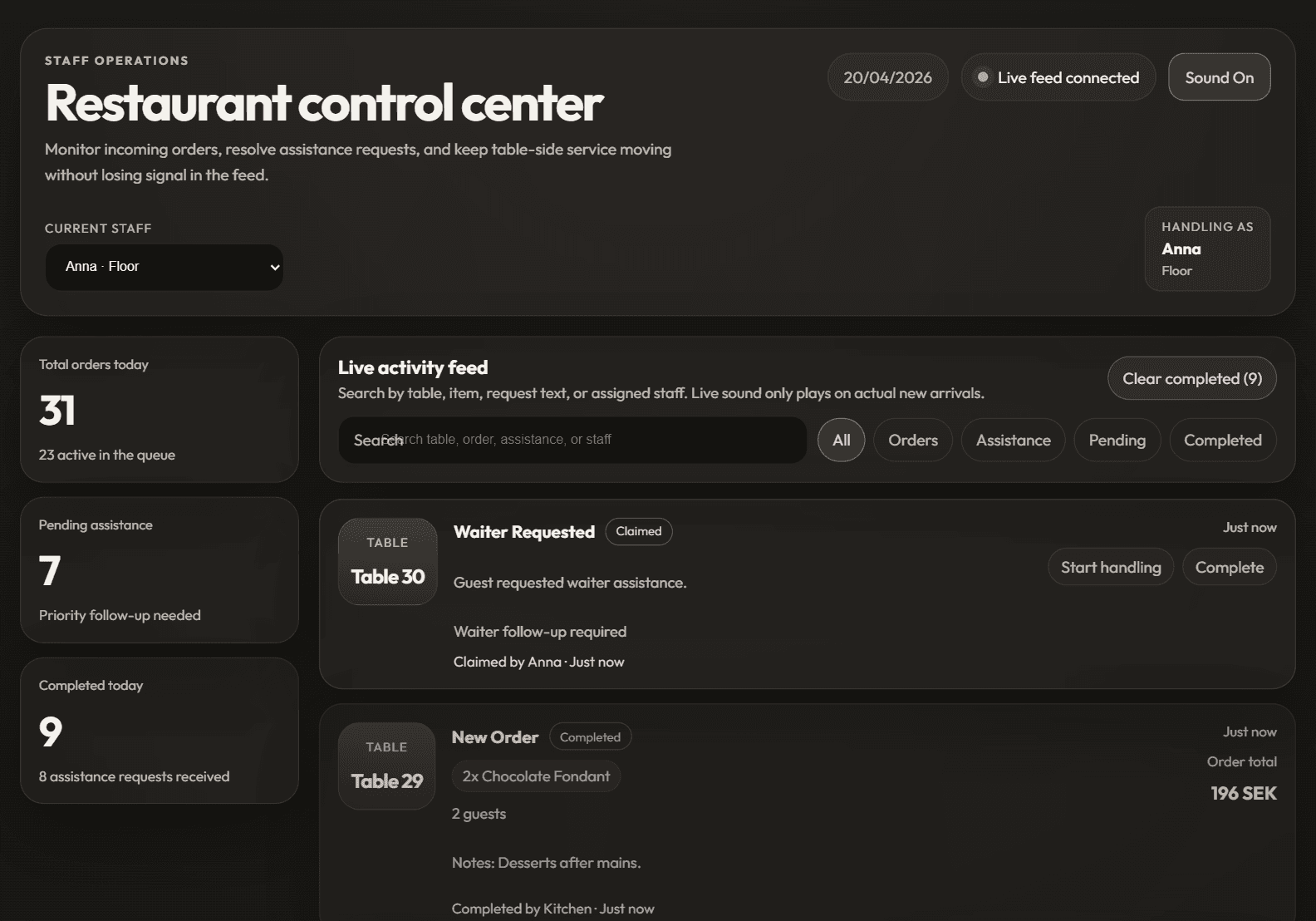
See how orders and service requests arrive in the admin view.
See how you manage ordersPreview
Admin dashboard
Kitchen
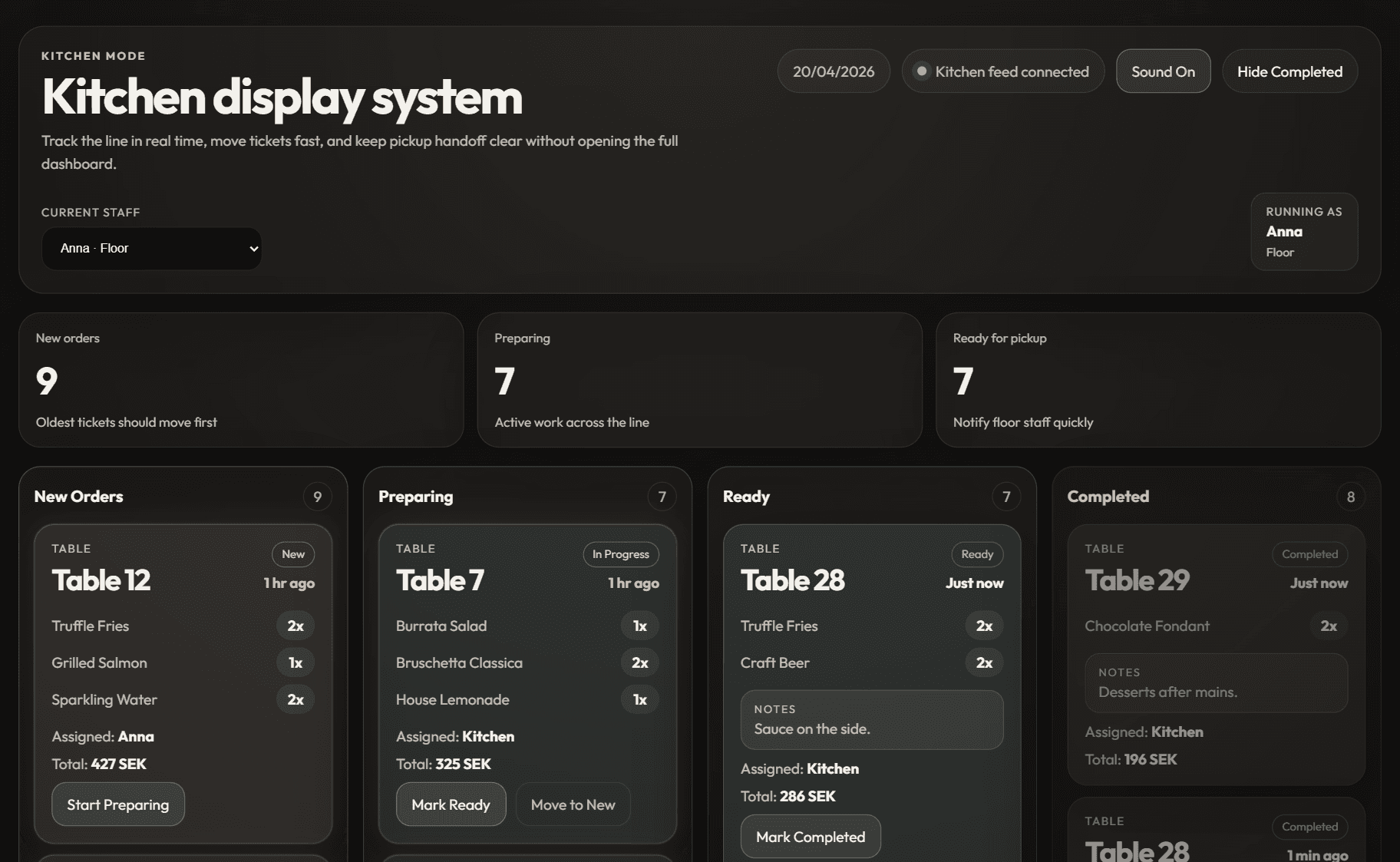
See how the kitchen receives the next step when the flow expands.
See how the kitchen receives ordersPreview
Kitchen display
FAQ
No. The menu opens directly in the browser through a QR code, which keeps the experience simple.
Yes. The menu can be structured with categories, ingredients, calories, and other information you want to make visible.
Yes. The setup works for smaller cafes as well as restaurants with more complex service flows.
Next step
Start by testing how the guest sees the menu on mobile. Once the flow feels right, book a demo to discuss your own setup.