Ordering system
A restaurant ordering system that simplifies the full workflow
When the menu, service view, and kitchen mode are connected, restaurants can move faster with fewer misunderstandings and clearer priorities.
See the flow first, then book a demo when you want to discuss your own setup.
Main page for this sprint
Start with the digital menu for restaurants
If you are comparing QR menu, ordering flow, or Sweden-specific rollout, this is the clearest page to start from.
Problem
Many restaurants still run menu, service, and kitchen as separate tracks
Solution
Core system components
A restaurant ordering system that connects the guest, service team, and kitchen. Get clearer order flow, fewer mistakes, and better visibility.
Digital guest menu
The first step where guests access the right menu and move into ordering with less friction.
Tablet-friendly admin view
A live service view for orders, waiter requests, and status in one responsive workflow.
Kitchen display system
A focused kitchen view where new, in-progress, and ready orders are easier to scan and manage.
In practice
How the workflow works
See the flow first, then book a demo when you want to discuss your own setup.
Guests open the menu and send the order directly from the table.
The service team sees the order in a live admin flow and can handle ownership, status, and requests.
The kitchen gets a clean KDS view to track new, firing, and ready orders in real time.
Benefits
What a clearer ordering system improves
Fewer misunderstandings
A clear digital order reduces the number of manual steps where information gets lost.
Better visibility for the team
Service and kitchen can follow the same status and act faster on what matters most.
Calmer shifts under pressure
A clearer workflow makes it easier to handle more tables without losing structure.
Operations demo
See how the order moves forward
Admin and kitchen matter most here. They show what happens after the guest has chosen.
Order
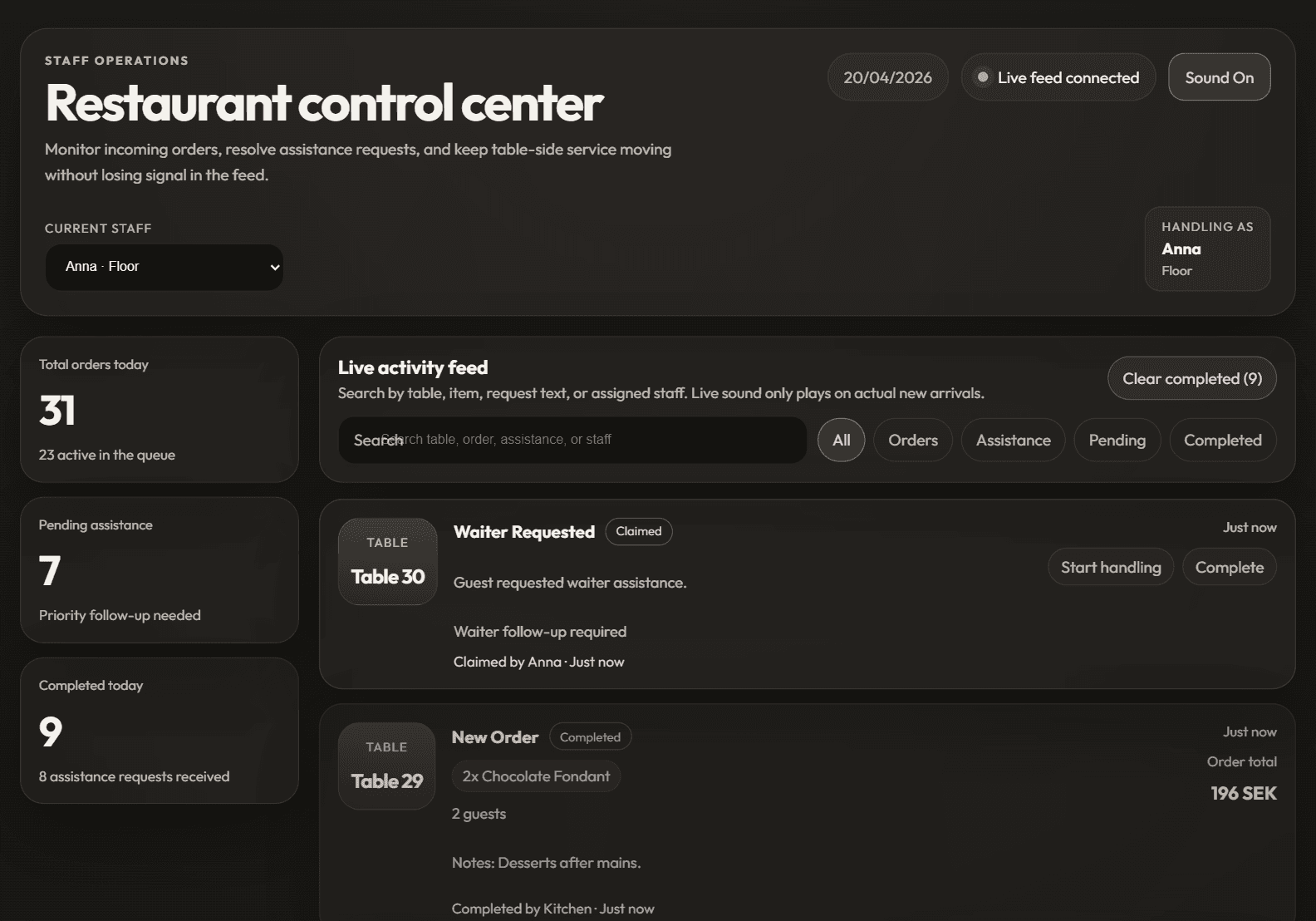
See how you manage orders
Follow how orders and service requests are handled in the admin view.
See how you manage ordersPreview
Admin dashboard
Kitchen
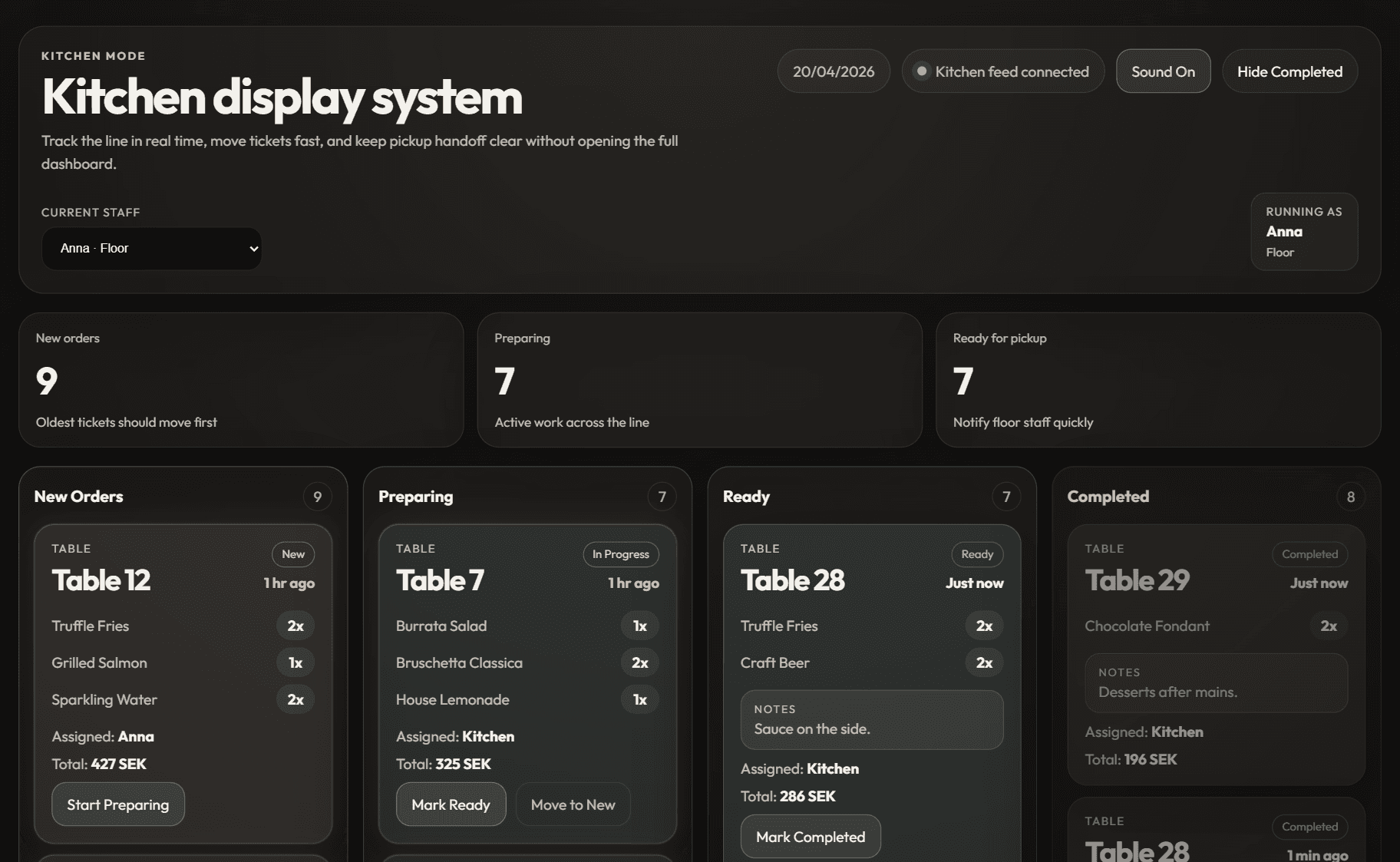
See how the kitchen receives orders
See how the kitchen receives orders in a clearer next step.
See how the kitchen receives ordersPreview
Kitchen display
FAQ
Common questions about restaurant ordering systems
Is this only for full-service restaurants?
No. It also works for cafes, lunch concepts, hotels, and other service-heavy venues that want clearer menu and order flow.
Can staff still take manual orders?
Yes. The goal is to reduce friction, not force one rigid way of working.
How is this different from only having a digital menu?
A full ordering system connects the guest menu, service view, and kitchen flow instead of improving the menu surface alone.
Next step
Want to see the full flow from menu to kitchen?
Book a walkthrough to see how a clearer ordering system could fit your restaurant and operating style.