QR menu
QR menu for restaurants with a faster start at the table
A QR menu gives guests direct access to the menu without waiting for staff to hand it over or explain the next step.
See the flow first, then book a demo when you want to discuss your own setup.
Main page for this sprint
Start with the digital menu for restaurants
If you are comparing QR menu, ordering flow, or Sweden-specific rollout, this is the clearest page to start from.
Problem
Every extra step at the table slows service down
Solution
A QR setup designed for real service
Let guests scan, view the menu instantly, and order with less friction. Built for restaurants that want shorter wait times and a better guest experience.
Right menu in the right context
The QR code can open the correct menu and route for the table experience you want.
Fast mobile experience
Guests get a clear, fast, mobile-first view instead of a clumsy PDF.
Natural path into ordering
The QR menu becomes the first step in a smoother restaurant ordering flow.
In practice
How a QR menu works in practice
See the flow first, then book a demo when you want to discuss your own setup.
We set up QR codes that link to the right restaurant menu and mobile experience.
The menu is presented with clear categories, dish details, and a flow that feels natural to use.
Guests move faster into ordering while staff lose less time to manual menu handling.
Benefits
Why restaurants choose QR menus
Instant table access
Guests scan the code and open the correct menu immediately.
Cleaner ordering start
More guests move faster into a decision when the menu is already in their hands.
Less staff friction
Your team can spend more time on service and less time carrying menus or repeating basics.
QR demo
See how ordering works
This page should focus on the guest’s first step, so it only shows the customer demo.
Live demo
See how ordering works
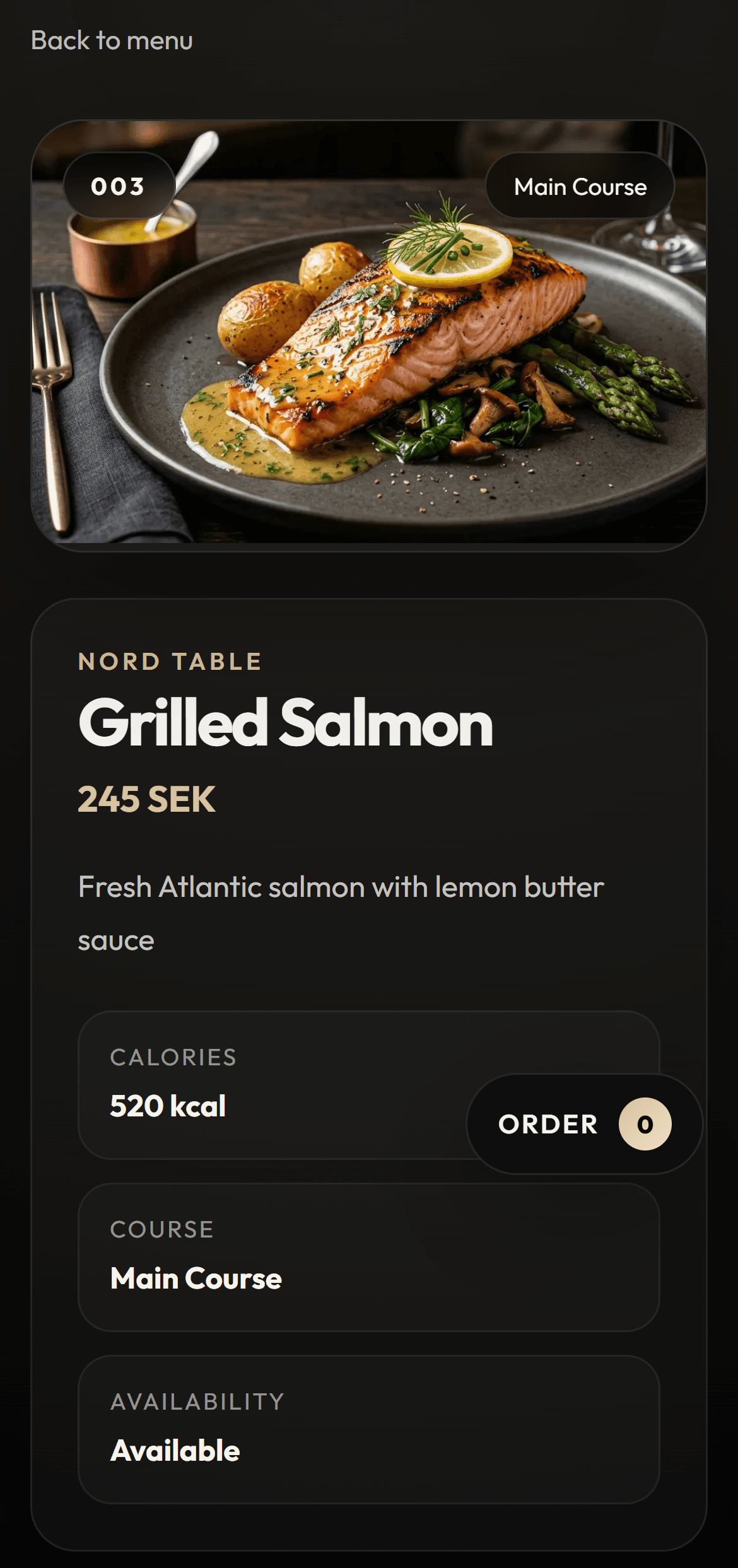
Open the QR flow and see how the guest starts directly from the table.
Try how a guest ordersPreview
Guest view
FAQ
Common questions about QR menus
Is a QR menu hard for guests to use?
No. When the link opens fast and the menu flow is clear, it feels simple and natural for most guests.
Can we start without full online ordering?
Yes. Many restaurants start with a clearer digital menu and then extend it into ordering later.
Does this work for cafes too?
Yes. QR menus work well for cafes, lunch restaurants, hotel service, and other service-heavy concepts.
Next step
Want to see how a QR menu would work in your venue?
Open the live flow to try the experience or book a demo to walk through how the setup would work for your restaurant.