Paper menus work until they start slowing things down
Paper menus can feel simple when the offer rarely changes and service stays calm. But once prices, dishes, or information need frequent updates, they quickly become friction.
The practical difference in daily operations
- Paper menus need reprints or manual inserts when updates happen.
- Digital menus can be updated faster without showing different menu versions to guests.
- Paper menus need to be handed out. Digital menus can open right from the table.
In-article demo
See how this works in practice
This article is about menu or QR, so the customer demo is the fastest way to understand it.
Live demo
See how ordering works
Open the guest view and see how the menu starts directly from the table.
Try how a guest ordersPreview
Guest view
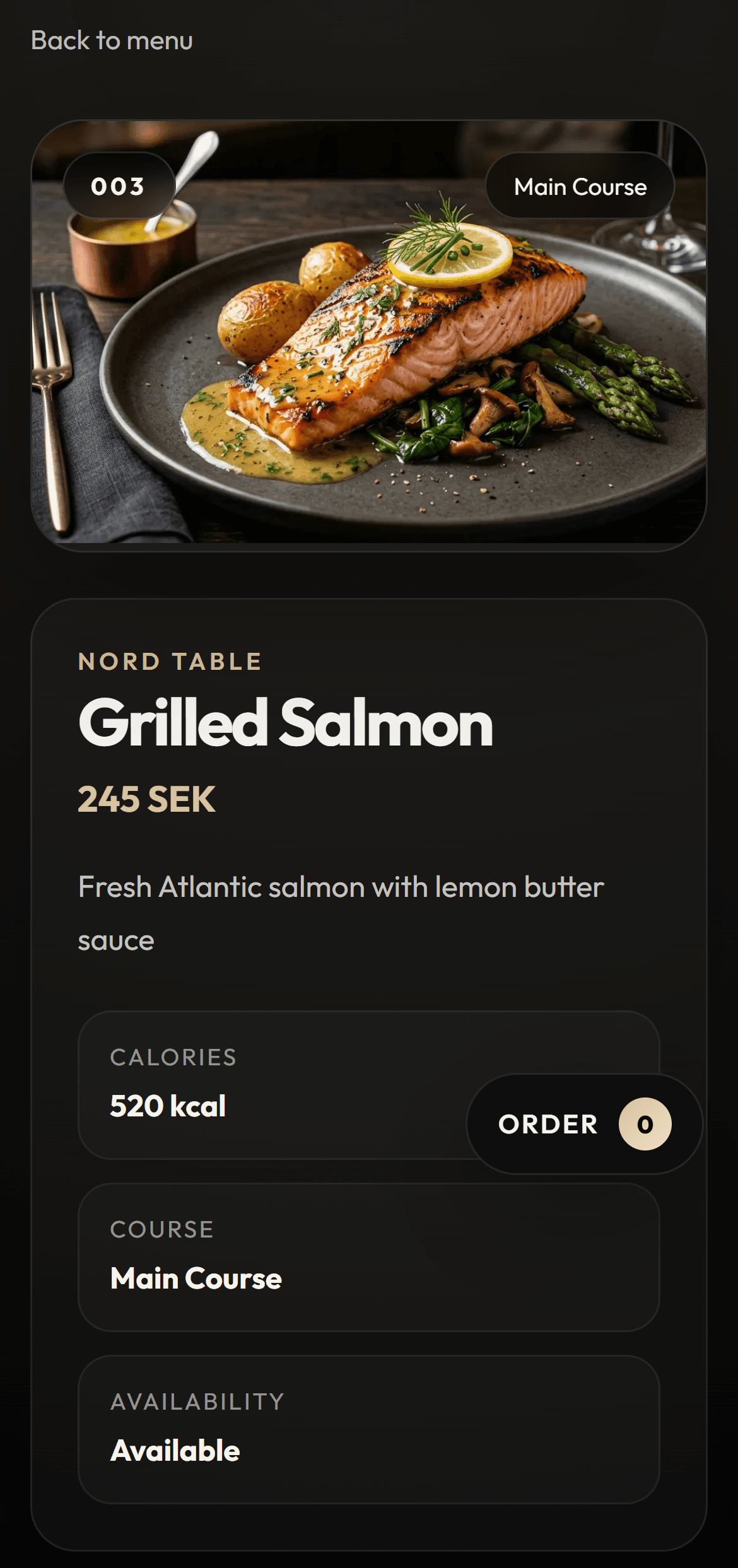
What guests notice first
Guests mainly notice how quickly the experience begins and how clearly the menu is presented. That is often where digital menus win first.
What restaurants notice first
Restaurants mainly notice simpler updates, less admin overhead, and a stronger menu surface that can expand into a fuller digital workflow later.
FAQ
Does a digital menu need to replace paper immediately?
No. Many venues start with QR and digital menu access in selected flows before removing paper completely.
Do guests mind using their phone?
Not when the flow is fast and clear. The key is that it feels simpler, not more technical.
When does paper become expensive in practice?
When updates happen often, campaigns rotate, or multiple versions of the menu need to stay aligned.
Conversion CTA
See how the digital menu works in practice
Move into the main digital menu page to understand the offer clearly. Once it fits, you can book a demo.
Next step
Try the menu experience before you book
Open the customer demo if you want to see how ordering works before taking the next step.
Live demo
See how ordering works
Open the guest view and see how the menu starts directly from the table.
Try how a guest ordersPreview
Guest view